Sleep tracker for iPhone & Apple Watch
Discover your sleep animal. Know your Lunomia Score.
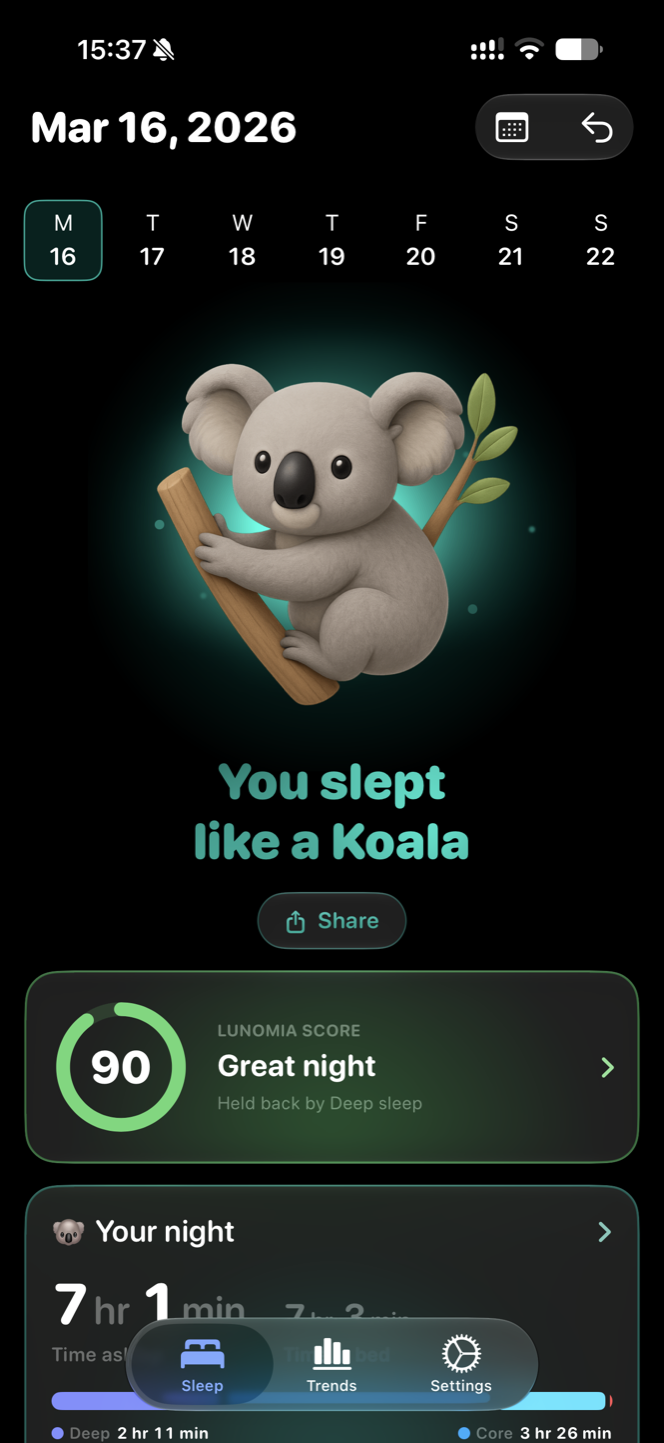
Every night gets a Lunomia Score from 0 to 100, worked out on your device, and one of 25 sleep animals that shows what the night looked like. Sleep stages, heart rate, trends and more from your Apple Watch. Free to download, private by design.
Download Lunomia free on the App Store
For iPhone, iPad and Apple Watch · Works with Apple Health · No account required

New: Lunomia Score
One number for every night
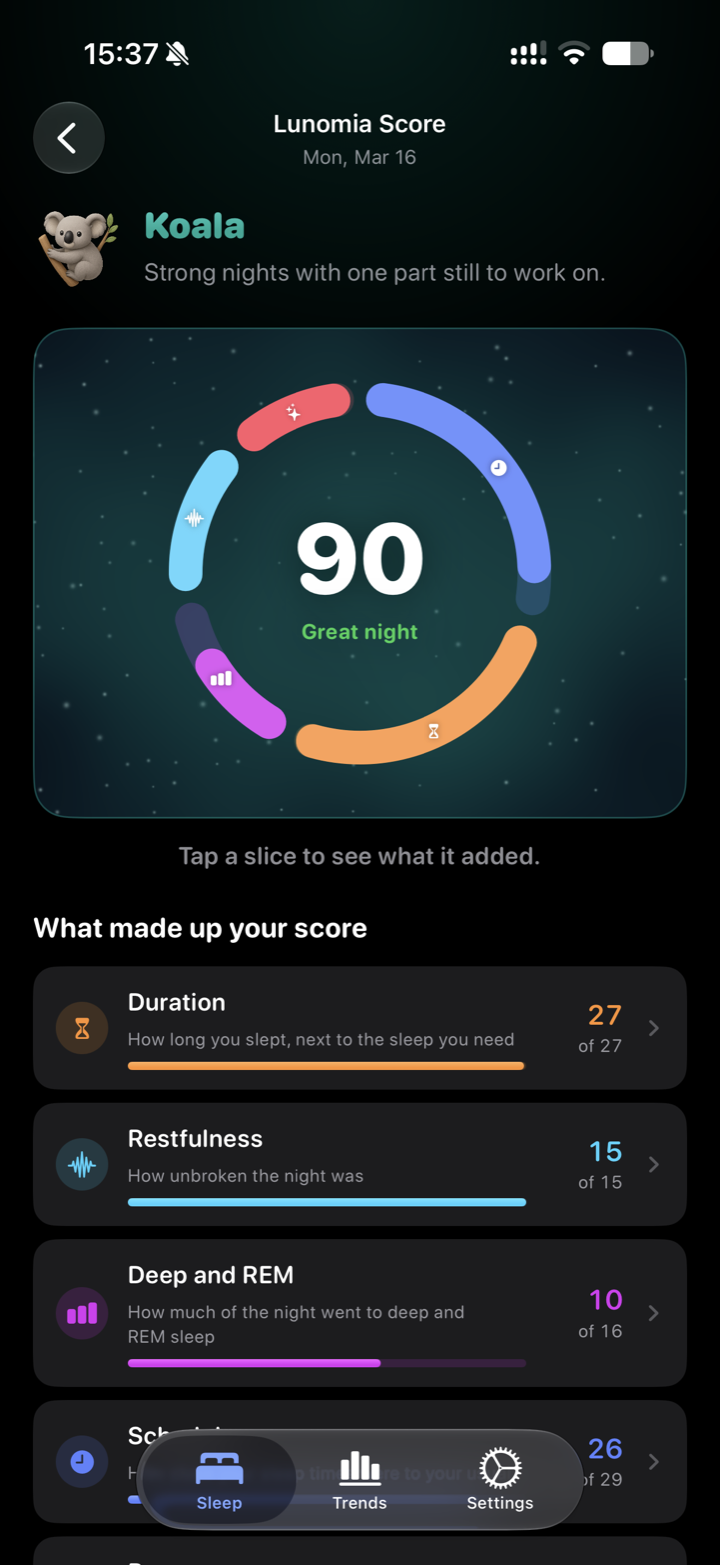
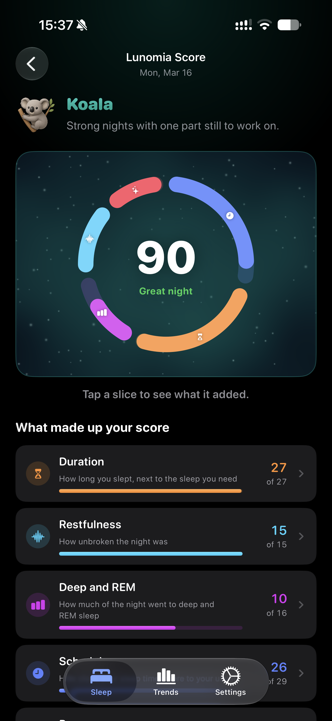
Your Lunomia Score pulls everything Lunomia can read about a night into a single score from 0 to 100, then shows you exactly what raised or lowered it. Everything is worked out on your device. Your sleep data is never sent anywhere to produce the score.
What makes up your score
100 points-
ScheduleHow close your sleep times were to your usual28
-
DurationHow long you slept, next to the sleep you need25
-
RestfulnessHow unbroken the night was20
-
RecoveryHow your overnight readings compare with your own normal17
-
Deep and REMHow much of the night went to deep and REM sleep10
Anything Lunomia cannot read is left out rather than counted as zero, and the parts that remain share the weight between them.
What your score means
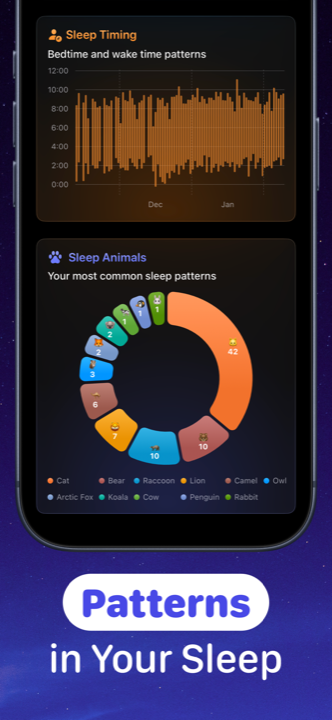
Your score picks the tier of sleep animals, and the shape of your night picks the animal inside it, so a lion only ever means a top night.
Screenshots
A sleep tracking app that makes mornings fun
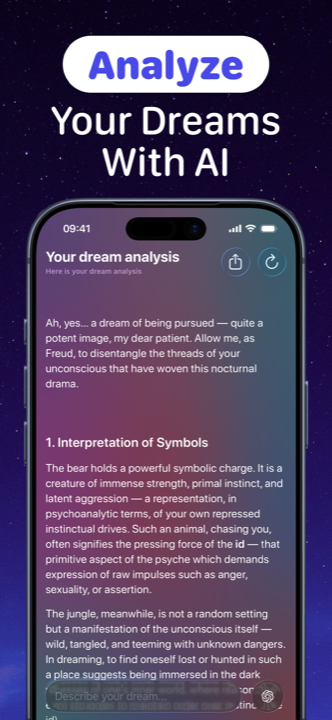
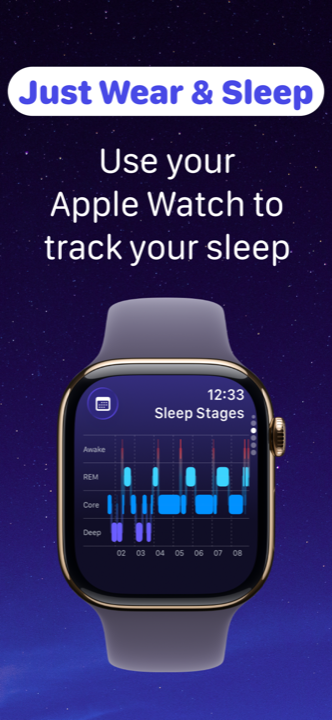
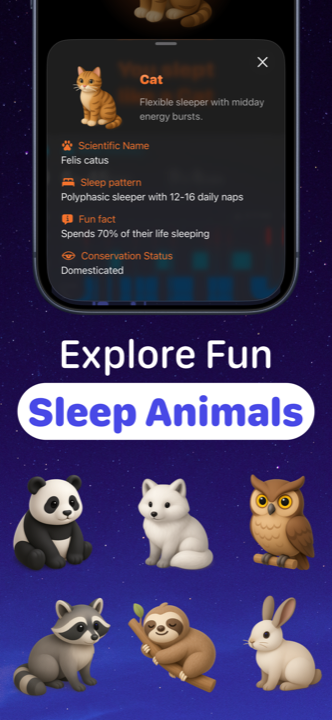
Swipe through what a night with Lunomia looks like, from your Lunomia Score and sleep stages to your personal sleep animal.
A closer look
Three taps from asleep to understood
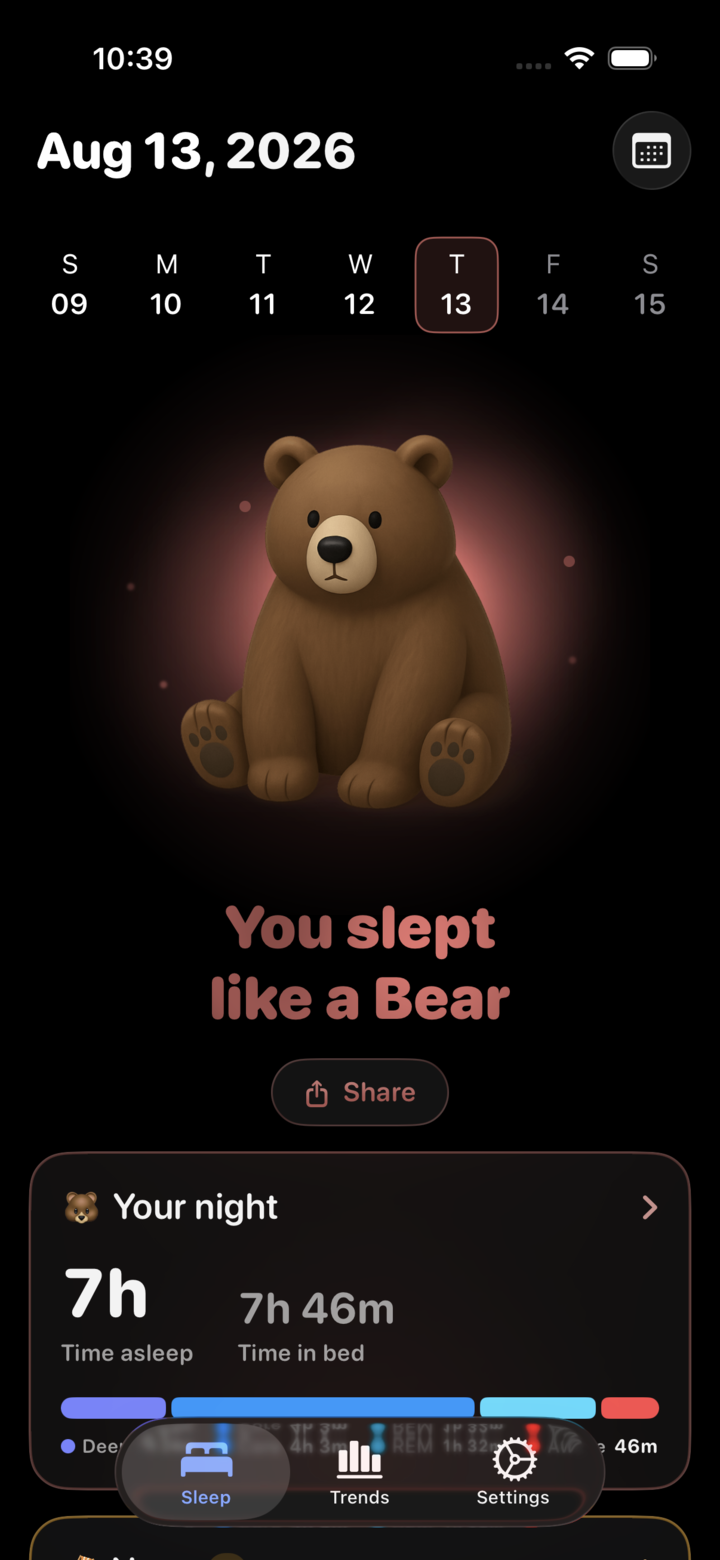
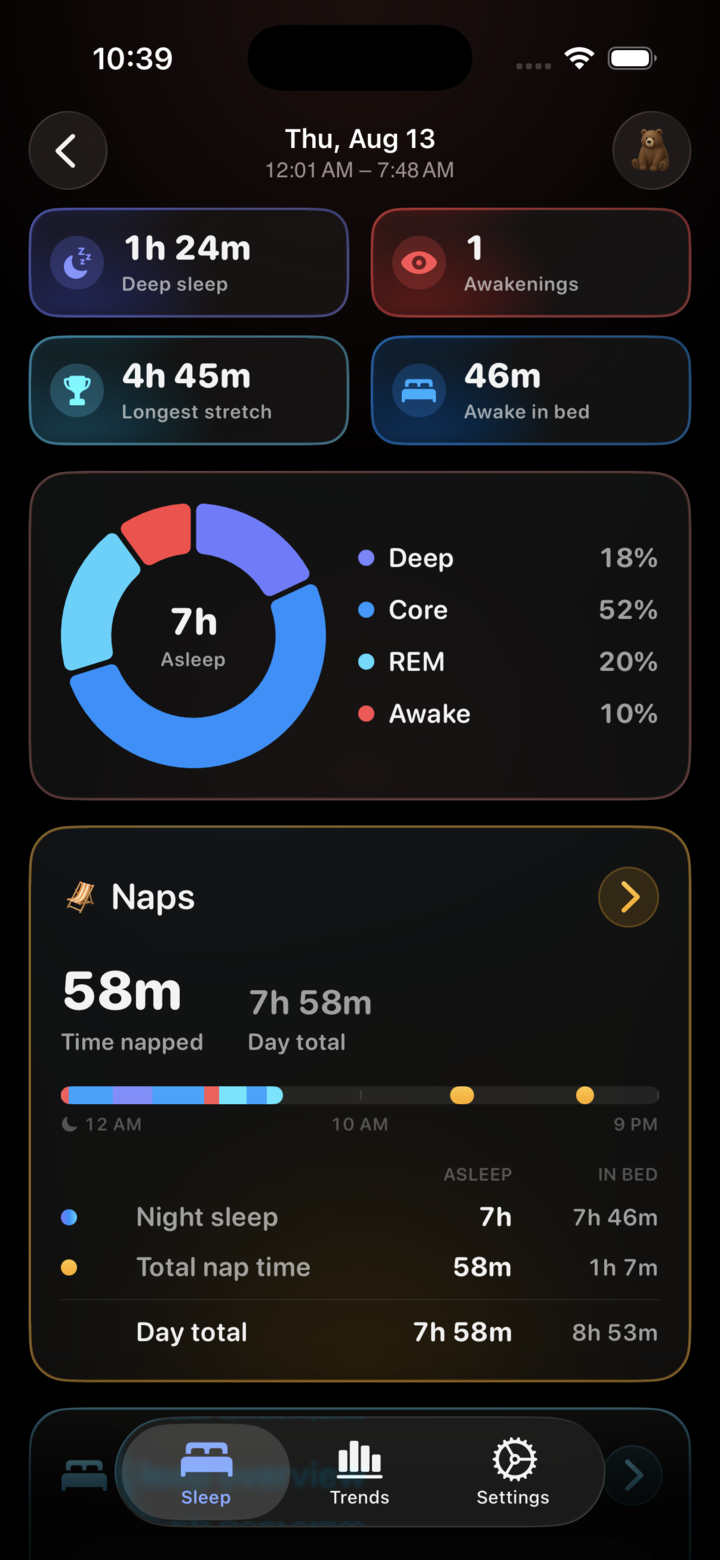
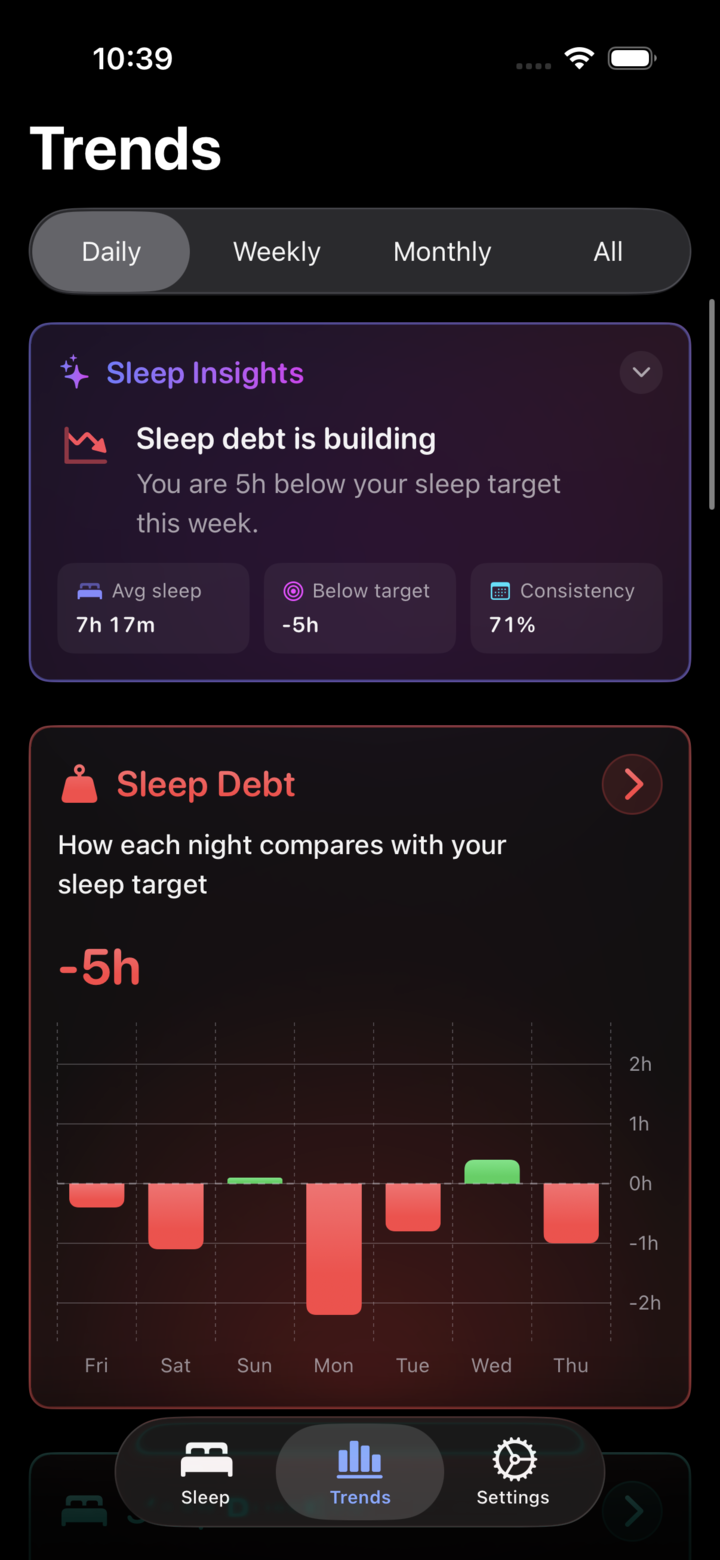
Your night, your patterns, and the detail behind both. No logging, no timers, no account.
How it works
Just wear, sleep, and wake up to answers
No manual logging, no timers to start. Lunomia does its sleep analysis automatically from Apple Health data.
Wear your Apple Watch to bed
Enable sleep tracking on your Apple Watch (or any tracker that syncs with Apple Health) and just sleep. Nothing to start or stop.
Lunomia analyzes your night
Every morning Lunomia reads your sleep stages, heart rate, breathing and blood oxygen from Apple Health, processes them privately on your device and scores the night.
Meet your score and your animal
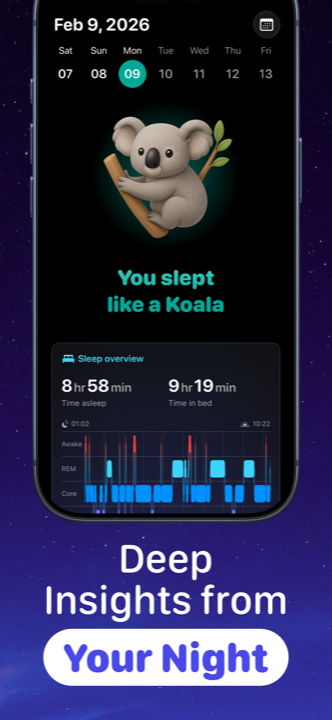
See your Lunomia Score, time asleep, sleep efficiency and stage breakdown, plus the animal that matches your night. Tap the score to see what shaped it.
Lunomia Score
One score from 0 to 100 for every night, built on your device from five parts: duration, restfulness, deep and REM, schedule and recovery. Tap it to see what raised or lowered it, and set sleep goals so the score leans toward what you want to improve. The breakdown and goals are part of Lunomia Pro.
25 sleep animals
Bear, owl, cat, koala, lion and more. Your score picks the tier and your night picks the animal, with an encyclopedia of fun sleep facts.
Sleep stage analysis
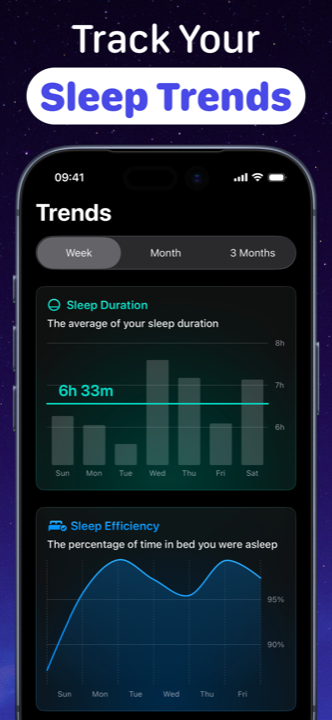
Deep, core, REM and awake time visualized clearly for every night, week and month.
Heart, breathing & oxygen
See how your body behaves overnight: heart rate, respiratory rate and blood oxygen insights.
Sleep schedule & reminders
Set your bedtime and wake-up time in one calm flow, with a gentle reminder before bed.
Sleep Shield
Block distracting apps during your sleep schedule with Lunomia Pro. No more 1 a.m. doomscrolling.
Sleep Recap
Wake up to a short written summary of your night, generated on your device by Apple Intelligence. Part of Lunomia Pro.
Nap tracking
Daytime sleep gets its own timeline, so a long afternoon nap never quietly rewrites your night.
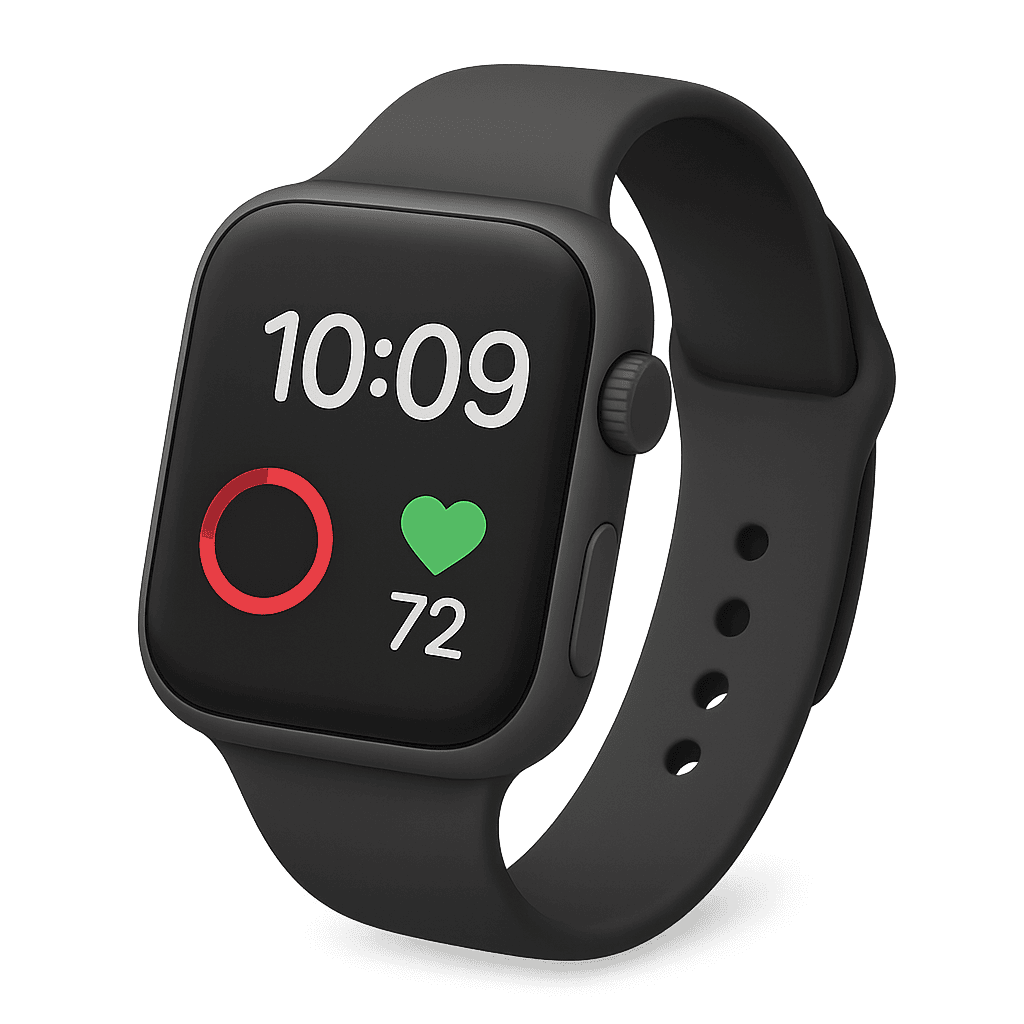
Apple Watch app
Check last night's stages on your wrist, then open Lunomia on iPhone for the full picture.
Home screen widgets
Last night's sleep and your animal on the home screen, without opening the app at all.
Sleep guides
Learn to sleep smarter
Practical, no-nonsense guides to the questions people actually ask about sleep, and how Lunomia helps answer them.
What is a good sleep score?
The five parts of the Lunomia Score, the five tiers, and how to raise it.
Read the guide →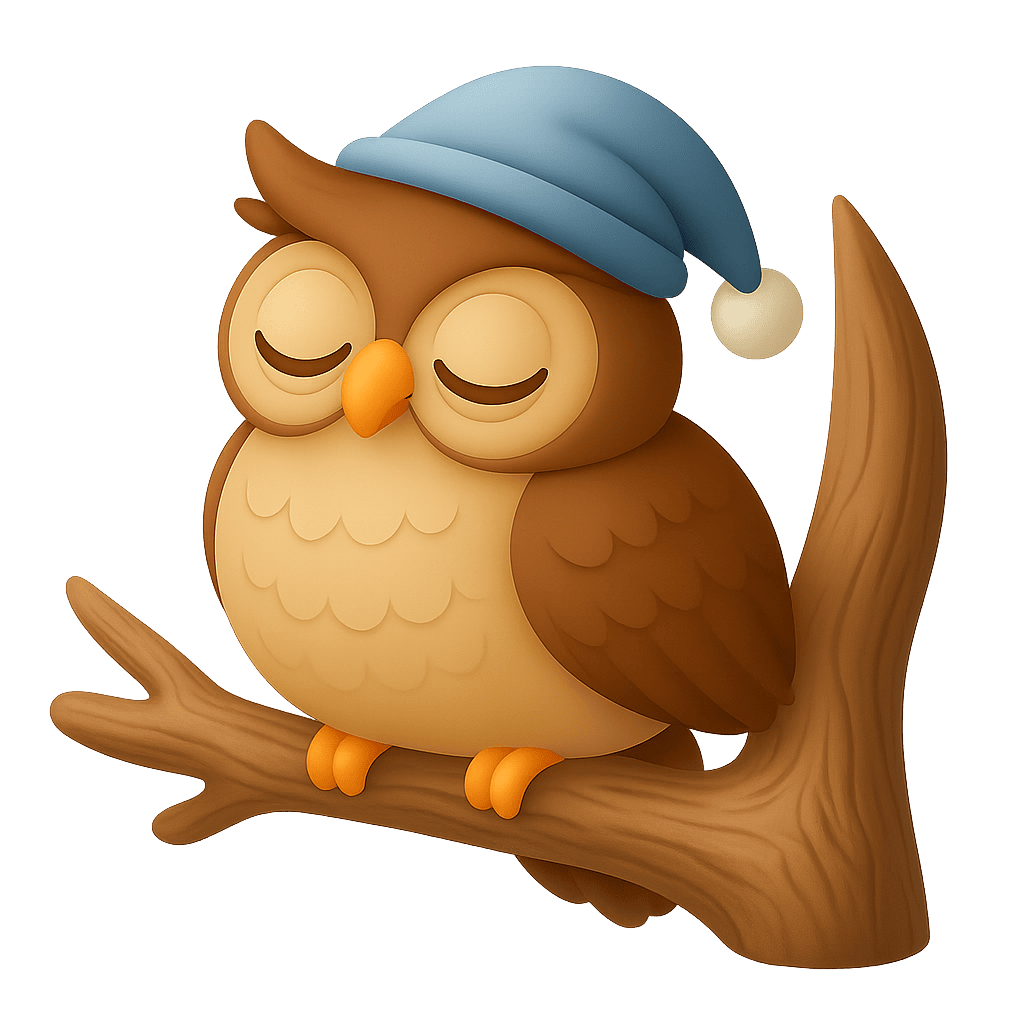
What is my sleep animal?
Skip the quiz. Find your real sleep animal from actual sleep data.
Read the guide →
How to track sleep with Apple Watch
Setup, requirements, and how to actually understand the results.
Read the guide →
Sleep stages explained
Deep vs core vs REM sleep: what's normal and what each stage does.
Read the guide →
What is a good sleep efficiency?
How the % is calculated, what to aim for, and how to raise yours.
Read the guide →
Normal heart rate while sleeping
Typical overnight heart rates by fitness level, and when to pay attention.
Read the guide →
What does my dream mean?
Where dreams come from, and what AI can and cannot tell you about them.
Read the guide →
How to block apps at night
Stop doomscrolling before bed on iPhone: Screen Time vs Sleep Shield.
Read the guide →
How to fix your sleep schedule
A realistic 2-week plan to reset your bedtime, backed by your own data.
Read the guide →FAQ
Frequently asked questions
What is a sleep animal?
A sleep animal is a fun, easy-to-understand summary of how you slept. Lunomia chooses it in two steps: your Lunomia Score picks one of five tiers, and the shape of your night (how long you slept, your deep, REM and awake shares, and when you fell asleep) picks which of the 25 animals inside that tier fits best. So a Lion only ever means a top night, and a Koala is always a great one. Learn more
What is the Lunomia Score?
The Lunomia Score is one number from 0 to 100 for a single night. It pulls together everything Lunomia can read about that night, your sleep length, how unbroken it was, your deep and REM sleep, your schedule and your overnight readings, so you do not have to weigh each chart yourself. Everything is worked out on your device, and your sleep data is never sent anywhere to produce the score. How the score works
How is the Lunomia Score calculated?
Five parts make up the score: Schedule (28 points, how close your sleep times were to your usual), Duration (25, how long you slept next to the sleep you need), Restfulness (20, how unbroken the night was), Recovery (17, how your overnight readings compare with your own normal) and Deep and REM (10, how much of the night went to deep and REM sleep). Anything Lunomia cannot read is left out rather than counted as zero, and the remaining parts share the weight. See the full breakdown
What is a good Lunomia Score?
80 or above is a great night. The five tiers are 0 to 39 Rough night, 40 to 59 Fair night, 60 to 79 Good night, 80 to 94 Great night and 95 to 100 Radiant night. A 100 needs a night that is healthy in length, largely unbroken, balanced between deep and REM, on your usual schedule, and with overnight readings at or better than your normal. Learn more
Is the Lunomia Score free?
Yes. Last night's score, its tier and your sleep animal are free. Lunomia Pro adds the breakdown of what raised or lowered the score, your full score history and trends, and sleep goals that weight the score toward what you want to improve.
Why does my Lunomia Score say it is calibrating?
Most of the score is measured against your own recent nights rather than a fixed ideal, and Lunomia needs about two weeks of nights before it knows your normal well enough to lean on it. You still get a score in the meantime; it simply reads as calibrating until then. Learn more
Is Lunomia a free sleep tracker?
Yes. Lunomia is free to download, and last night's analysis is free: sleep stages, your Lunomia Score and your sleep animal. Lunomia Pro unlocks the score breakdown, your full history and trends, Sleep Recap, sleep goals and Sleep Shield app blocking. Download it free
How do I track my sleep with Apple Watch?
Wear your Apple Watch to bed with sleep tracking turned on. Lunomia reads the data from Apple Health and turns it into a clear morning report: time asleep, sleep stages, heart rate, your Lunomia Score and your sleep animal. There is also a Lunomia Apple Watch app for checking sleep stages right on your wrist. Learn more
Do I need an Apple Watch to use Lunomia?
No. Lunomia works with any sleep data in Apple Health, so other trackers and smart beds that sync with Apple Health work too. Nights tracked with iPhone alone still get a Lunomia Score, built from the parts Lunomia can read. An Apple Watch gives the most detail: sleep stages, heart rate, breathing and blood oxygen. Learn more
How does Lunomia analyze deep, core and REM sleep?
Lunomia reads the sleep stages recorded by your Apple Watch (Awake, REM, Core and Deep) and visualizes every night as an easy-to-read chart with totals, percentages and long-term trends. Deep and REM together are also one of the five parts of your Lunomia Score. Learn more
What is a good sleep efficiency percentage?
Sleep efficiency is the share of your time in bed that you actually spend asleep; 85% or higher is generally considered good. Lunomia calculates it automatically every night, charts it over time, and uses it as the biggest piece of the Restfulness part of your Lunomia Score. Learn more
What should my heart rate be while sleeping?
Most healthy adults land between roughly 40 and 60 beats per minute overnight, lower than daytime resting heart rate. Lunomia shows your overnight heart rate, breathing rate and blood oxygen next to your sleep stages, and compares them with your own normal in the Recovery part of your score. Learn more
What is Sleep Recap?
Sleep Recap is a short written summary of your night, ready when you wake up. It is generated by Apple Intelligence on your device, so your sleep data stays on your iPhone. Sleep Recap is part of Lunomia Pro. If your iPhone does not support Apple Intelligence, you can switch on an optional cloud engine instead. How that works
Does Lunomia track naps?
Yes. Lunomia picks up daytime sleep from Apple Health and gives each nap its own timeline, separate from your night, with the length and time of day for every one. Naps also count toward your Lunomia Score: adults get half of a nap credited toward their sleep need, up to a limit, and children and teenagers get the full length.
How do I stop scrolling on my phone at night?
Make the distracting apps unavailable. Sleep Shield in Lunomia Pro blocks the apps you choose for the whole of your sleep schedule, so late-night doomscrolling simply isn't an option. Learn more
Is my sleep data private?
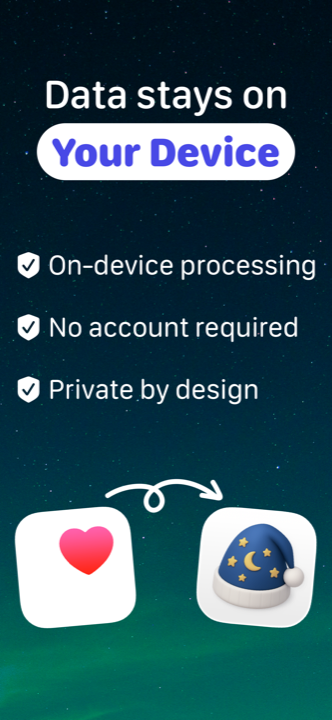
Yes. Lunomia reads your sleep data from Apple Health and analyzes it on your device, and there is no account to create. Nothing about your sleep is sent anywhere unless you choose to turn on the optional cloud AI engine, which asks your permission first. Read the privacy policy
Tonight's sleep has a story. Wake up to the score and the animal that tell it.
Download Lunomia free, wear your Apple Watch to bed, and wake up to your first sleep analysis: your Lunomia Score, sleep stages, heart rate, trends and your very own sleep animal.