How to Block Apps at Night on iPhone
"One more video" at 11 p.m. has a way of becoming 1:30 a.m. It even has a name, revenge bedtime procrastination, and willpower alone rarely beats an app engineered to keep you watching. The fix that actually works is making the distracting apps unavailable during your sleep hours. Here are your options on iPhone, from weakest to strongest.
Why scrolling before bed wrecks your sleep
It's not just the screen light. Feeds are designed to trigger anticipation and micro-rewards, which keep your brain aroused exactly when it should be winding down. The result shows up in your data: later bedtimes, less REM sleep, and a lower sleep efficiency from lying in bed awake, phone in hand.
Option 1: Screen Time Downtime (built in, easy to bypass)
Settings → Screen Time → Downtime lets you schedule hours when apps are limited. It's free and built in, but the "Ignore Limit" button is always one tap away, and at midnight your tired brain will tap it. Good for a gentle nudge; weak against a real habit.
Option 2: Sleep Focus (silences, doesn't block)
A scheduled Sleep Focus hides notifications and dims the experience, which helps, but every app still opens normally. It treats the interruptions, not the doomscrolling.
Option 3: Sleep Shield, blocking tied to your sleep schedule
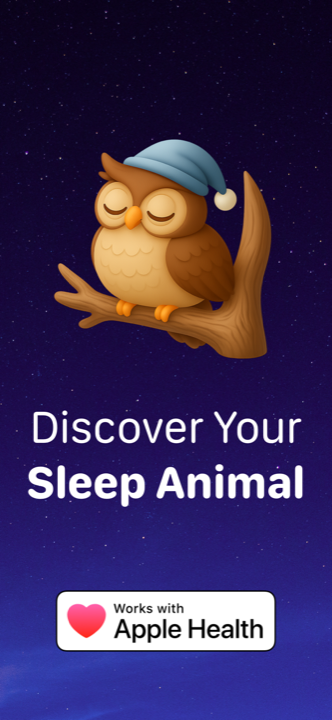
Sleep Shield, part of Lunomia Pro, takes the decision out of your hands at the moment you're weakest. You pick the apps that keep you up, and the shield blocks them automatically for the whole of your sleep schedule, from bedtime to wake-up:
- Download Lunomia and set your bedtime and wake-up time in the Sleep Time flow.
- Enable Sleep Shield and choose which apps to block (be honest, you know which ones).
- Lunomia sends a gentle bedtime reminder, then the shield comes up with your sleep schedule.
- In the morning, your apps are back, along with a sleep report showing the night you gained.
Because the blocking is tied to the same schedule Lunomia uses for sleep analysis, you close the loop: set a bedtime, actually keep it, then watch your sleep animals shift from restless owls and raccoons toward well-rested bears in the Trends tab.
Start with the worst offender. Blocking just one app, the one you open on autopilot, often moves your bedtime more than blocking ten.
Extra habits that make blocking stick
- Charge your phone across the room: the bed stays a scroll-free zone.
- Set the shield 30 minutes before target sleep, so the wind-down happens off-screen.
- Keep your wake time fixed: see how to fix your sleep schedule.
Take doomscrolling off the menu
Sleep Shield blocks your worst apps all night, automatically. Get Lunomia free.